
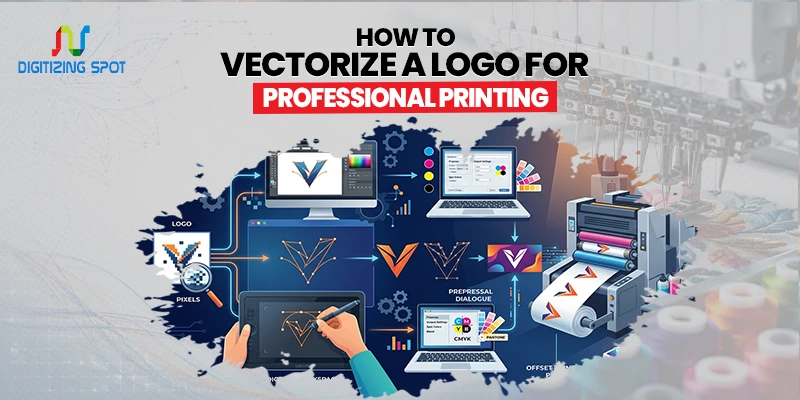
How to Vectorize a Logo for Professional Printing
Your logo is your brand’s face. But what if it looks blurry on a banner, pixelated on a sign, or rough on clothing? Many businesses run into this problem when they only have a JPEG or PNG version of their logo. What looks fine on a screen can quickly lose quality when printed at a larger size. This can lead to poor-looking marketing materials, production delays, and extra costs.
Vectorization changes your artwork into a scalable file. This file stays sharp and clear, no matter the size. A vector logo provides the clean, professional look your brand deserves. Whether you need printing, embroidery, signage, or promotional products, it’s the way to go.
Why Professional Printing Requires a Vector Logo
Printing companies often request vector artwork before starting production. This is because vector files provide clean and consistent results. When a logo is enlarged from a low-resolution JPEG, the edges often appear rough and pixelated. If you want clean print-ready files from complex artwork, then consider Ai Color Separation for professional multi-color breakdowns. A vector logo keeps every line and curve sharp. This becomes especially important when printing:
- Banners
- Trade show displays
- Vehicle graphics
- Storefront signs
- Screen-printed apparel
- Promotional products
- Embroidered items
A vector file helps maintain your brand’s appearance across all marketing materials.
Order Your Custom Patch Now!
How Can You Tell If Your Logo Is it Already a Vector?
Many business owners are unsure whether their logo is a vector file. The easiest way is to check the file extension. If your logo is saved as AI, EPS, SVG, or a vector PDF, it is likely already vectorized.
If the file is JPG, JPEG, PNG, GIF, or BMP, it is usually a raster image. Another quick test is to zoom in. If the edges remain smooth and sharp, the file is probably a vector. If the edges become blurry or blocky, it is likely a raster image.
How to Vectorize a Logo
There are several ways to convert a logo into a vector file.
Use Adobe Illustrator
Adobe Illustrator is one of the most common tools for logo vectorization. Start by opening the logo file in Illustrator. Select the image and use the Image Trace feature. The software will analyze the design and create vector paths. If you want your low-quality image turned into scalable vector artwork, then consider Jpeg To AI Conversion for sharp, editable results.
After tracing, click Expand to convert the traced image into editable artwork. You can then clean up the design, adjust shapes, and save the file as AI, EPS, or SVG. This method works well for simple logos with solid colors and clear outlines.
Use CorelDRAW
CorelDRAW offers a tracing feature called PowerTRACE. Import the logo and run the tracing tool. The software creates vector paths based on the image. After tracing, check the artwork closely. Make any corrections you need before saving the vector file. Many print shops and sign companies use CorelDRAW because of its vector editing tools.
Use Online Vectorization Tools
Online vector converters provide a quick solution for basic designs. Users upload a JPEG or PNG file and download a vector version. While convenient, these tools often struggle with low-quality images and detailed logos. Manual cleanup may still be necessary.
Choose Professional Vector Conversion
For the best results, many businesses choose professional vector conversion services. A graphic artist redraws the logo by hand instead of just using automated software. This creates cleaner lines, smoother curves, and more accurate details. Professional vectorization is often the best option when print quality is important.
Common Challenges During Logo Vectorization
Not all logos convert perfectly. Low-resolution images are one of the biggest challenges. When the original file is blurry, software may struggle to identify the correct shapes. If you want proper print setup for screen printing or garment design, then consider Photoshop Separation for accurate layer-based color separation.
Small text can also create problems. Letters may become distorted or difficult to read after tracing. Complex logos with gradients, shadows, and fine details often require manual adjustments.
Color matching can be another issue. Some tracing programs may slightly alter colors during the conversion process. Many companies opt for professional vectorization services due to these challenges. They find automatic tools insufficient on their own.
Need Help To Create Custom Patch Right Now!
Tips for Better Vectorization Results
The quality of the original logo has a major impact on the final vector file. Always use the highest-resolution version available. Clear artwork produces better tracing results. Simple logos are usually easier to convert than highly detailed graphics.
After vectorization, zoom in and inspect every part of the design. Look for rough edges, missing details, and uneven curves. If the logo contains text, make sure every letter remains clear and readable. Taking a few extra minutes to review the artwork can prevent printing problems later.
Benefits of a Professionally Vectorized Logo
A professionally vectorized logo offers long-term value for your business. First, it creates a consistent brand image. Your logo will look the same whether it appears on a business card or a billboard.
Second, it saves time during production. Printers can work directly from the vector file without requesting revisions. Third, it improves print quality. Sharp artwork helps your brand look more professional and trustworthy.
Finally, vector files are easier to edit. Colors, sizes, and design elements can be adjusted without affecting quality. These benefits make vectorization an important investment for any growing business.
Conclusion
A vector logo is one of the most important tools for professional printing. Vector artwork stays sharp at any size, unlike JPEG and PNG files. It works well in many applications. Using a vector file is key for printing business cards, banners, uniforms, signs, or promotional products. It ensures clean and consistent results.
Software can handle basic conversions, but for branding and production, professional vectorization offers the best results. Need a quality vector logo quickly? Contact Digitizing Spot today for your free quote!
Get A Custom Quote
Frequently Asked Questions
Logo vectorization turns a pixel-based logo into a scalable vector file.
A vector logo stays sharp and clear at any size, making it ideal for professional printing.
Yes, a JPEG logo can be converted into formats like AI, EPS, or SVG.
AI, EPS, and SVG are among the most widely used vector formats.
Yes, vector files provide cleaner edges and better results for printed materials.
Yes, vector logos can be enlarged or reduced without becoming blurry.
Most logo vectorization projects take a few hours to one business day.
Yes, screen printers often prefer vector files for accurate color separation and printing.
Yes, professional vector artists can recreate blurry logos into clean, print-ready artworks.
Digitizing Spot offers high-quality logo vectorization with fast turnaround and free quotes.
