
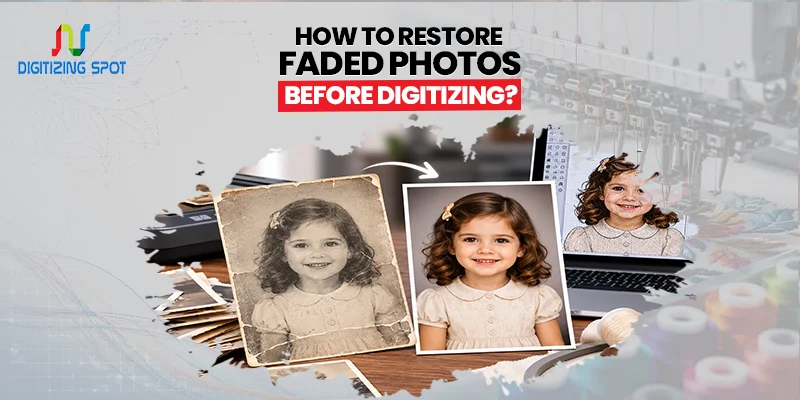
How to Restore Faded Photos Before Digitizing?
Old photographs are more than pieces of paper. They hold birthdays, family gatherings, weddings, vacations, and many moments you cannot recreate. Sadly, these memories fade over time. Colors become dull, edges wear out, and small scratches begin to appear. If you digitize a damaged photo without prepping it first, the flaws stay in the digital copy for good.
The good news is that many faded photos can look much better before they are scanned. With the right steps, you can improve the final image and protect your memories for years to come. In this guide, you’ll find out how to restore faded photos before digitizing them. You’ll also learn when it’s best to rely on a professional photo restoration service.
Why Photos Fade Over Time
Photographs naturally change as they age. Even if they are stored in albums, they are still affected by time. Sunlight is one of the biggest causes of fading because it slowly breaks down the colors in the photo. Heat and humidity also damage the paper and ink, making pictures look washed out. If you need precise stitch files for clean, professional embroidery results, go for our Embroidery Digitizing Service.
Dust, fingerprints, moisture, and bad storage can leave marks. These marks can become more noticeable over the years. Once damage begins, it usually gets worse unless the photo is protected. Knowing why photos fade can help you avoid similar mistakes after digitizing your images.
Should You Restore Photos Before Digitizing?
Yes, in most cases. A scanner captures everything it sees, including faded colors, scratches, stains, and dust. If you improve the photo first, the digital version will often look much cleaner. Some people think they should scan the photo first and fix it later. Cleaning the original photo before scanning often gives better results.
Still, it can work without this step. Professional restoration services use special tools to improve the original image and the final digital file. If your photos are old or valuable, restoring them before digitizing is usually the better choice.
Order Your Custom Patch Now!
Start by Handling Photos Carefully
Before you do anything, make sure your hands are clean and dry. Oils from your fingers can leave marks on old photographs. Hold pictures by the edges whenever possible. If your artwork or logo needs clean, scalable files for printing or digitizing, go for our Custom Vector Art Service.
Place them on a clean, flat surface with good lighting. If a photo is torn or badly damaged, avoid pulling it apart or trying to flatten it by force. Taking a little extra care now can prevent more damage later.
Remove Dust Before Scanning
Dust is one of the easiest problems to fix before digitizing. Use a soft microfiber cloth or a gentle air blower to remove loose dust from the photo. Wipe lightly without pressing too hard. If dirt is stuck to the surface, do not scrub it because that can remove parts of the printed image. A clean photo gives the scanner a much better image to capture.
Avoid Using Water or Household Cleaners
Many people make the mistake of cleaning old photos with water or glass cleaner. This can cause permanent damage. Moisture can weaken the paper. Also, household cleaning products might remove the printed image or leave stains. If a photograph needs deep cleaning, it is much safer to let a professional handle the work.
Improve Faded Colors Digitally
After cleaning the original photo, digital restoration can improve faded colors. Professional editing software lets technicians adjust brightness, contrast, colour balance, and sharpness. They can do this without altering the original memory. The goal is not to make the photo look new but to make it look closer to how it originally appeared. Small improvements can make a surprising difference in the final image.
Repair Scratches and Small Marks
Older photographs often have scratches, tiny tears, stains, or dust spots. Professional restoration tools can fix many imperfections. They help the photo look natural. You can often fix small cracks, and unwanted marks can vanish from the final digital copy. Trying to repair these problems by hand usually creates more damage, so digital restoration is often the safer option.
Scan at a High Resolution
Once the photo has been cleaned and restored, it should be scanned using a high resolution. A higher resolution captures more detail and creates a better digital archive. It also allows you to print larger copies later without losing image quality. Many home scanners are good for simple projects. However, professional scanning equipment captures more detail, richer colors, and smoother tones.
Save the Right File Format
After scanning, save your restored photos in a format that keeps the image clear. JPEG files are popular because they are easy to share and use on most devices. TIFF files are larger but keep more image detail, making them a good choice for long-term storage. Many people keep both versions so they have a high-quality backup along with a smaller file for everyday use. If you want vibrant, ready-to-press prints with sharp detail and lasting quality, go for our Custom DTF Transfer Service.
Back Up Your Digital Photos
Creating digital copies is only the first step. You also need to protect those files. Save your restored photos in more than one location. Many families use an external hard drive along with cloud storage. This keeps your memories safe if one device stops working. Having multiple backups gives you peace of mind.
Common Mistakes to Avoid
Many people accidentally damage old photographs while trying to restore them. Using tape to repair tears is one mistake because the adhesive becomes harder to remove over time. Folding damaged photos, writing on the back with ink, or storing pictures in damp places can hurt them for a long time.
Another common mistake is scanning photos at a low resolution. While the files may save faster, they often lose valuable detail that cannot be recovered later. Taking your time helps you avoid these problems.
Need Help To Create Custom Patch Right Now!
When to Choose a Professional Photo Restoration Service
Some photos are simply too valuable to risk. If your pictures are faded, torn, water-damaged, mouldy, or missing parts, it’s usually best to have a professional restore them. Skilled technicians use high-tech equipment and editing tools that many people lack at home.
Professional restoration also saves time. Why spend hours learning editing software? You can get great results from professionals who restore photos daily. Professional help can protect your cherished memories, whether it’s a single family portrait or an entire album.
Final Thoughts
Old photographs cannot be replaced once they are lost. Restoring faded photos before digitizing them makes digital copies cleaner, sharper, and longer-lasting. Simple steps can make a big difference. Remove dust, handle photos carefully, and choose the right scanning method.
For precious family memories or badly damaged photos, professional restoration is usually the best choice. At Digitizing Spot, we simplify the process. We offer quality restoration, high-resolution digitizing, fast turnaround, and reliable service. Get your free quote today and let Digitizing Spot help preserve your treasured memories for years to come.
Get A Custom Quote
Frequently Asked Questions
Yes. Many faded photos can be improved through careful cleaning, color correction, and digital restoration.
Yes. Removing dust with a soft microfiber cloth or air blower helps produce cleaner digital images.
No. Water and household cleaners may permanently damage printed photos.
A high-resolution scan, such as 600 DPI or higher, usually provides the best quality.
Yes. Professional photo restoration can often remove scratches, stains, and small marks digitally.
JPEG is great for sharing, while TIFF is better for long-term archiving.
Restoring photos first helps create cleaner and higher-quality digital copies.
Keep copies on your computer, cloud storage, and an external hard drive for extra protection.
Professional restoration specialists can repair many damaged photos, depending on their condition.
Digitizing Spot offers careful restoration, high-quality digitizing, and fast turnaround. We also provide competitive pricing and a free quote for every project.
